1. Get Your API Key
Sign up on RapidAPI and subscribe to the BillFlux Invoice & Receipt OCR API to get your API key. Detailed instruction can be found in Authentication section.
2. Quick Start
Get started with BillFlux OCR API in just a few minutes.
2.1. Default Usage
Here's a simple example using curl:
curl -X POST "https://billflux-invoice-receipt-ocr.p.rapidapi.com/parse-file" \
  -H "X-RapidAPI-Key: YOUR_KEY" \
  -H "X-RapidAPI-Host: billflux-invoice-receipt-ocr.p.rapidapi.com" \
  -F "data=@/path/to/invoice.jpg;type=image/jpg"
2.2. Custom Field Usage
Extract specific fields by providing custom field definitions:
curl -X POST "https://billflux-invoice-receipt-ocr.p.rapidapi.com/parse-file" \
  -H "X-RapidAPI-Key: YOUR_KEY" \
  -H "X-RapidAPI-Host: billflux-invoice-receipt-ocr.p.rapidapi.com" \
  -F "data=@/path/to/invoice.jpg;type=image/jpg" \
  -F 'custom_field={
  "specific_time": "Transaction or invoice time in 24-hour format HH:MM, e.g., 14:07. Common keywords: time, transaction time, order time.",
  "datetime_iso": "Full ISO 8601 datetime if available, e.g., 2025-03-15T14:07:00.",
  "timezone": "Timezone inferred from text, phone code, or address, e.g., America/New_York, UTC+8."
}'
3. Process the Response
The API returns extracted data in JSON format:
{
  "Output": {
    "defaultOutput": {
      "date": "2025-10-18",
      "pretaxAmount": 26.24,
      "taxAmount": 0,
      "totalPrice": 26.24,
      "merchantName": "STOP&SHOP",
      "merchantAddress": "99 CHARLES STREET, MALDEN, MA 02148",
      "currency": "USD",
      "items": [
        {
          "Index": 1,
          "Name": "80% GRND BF 16PK",
          "Qty": 1,
          "Unit Price": 7.37,
          "Total": 7.37
        },
        {
          "Index": 2,
          "Name": "80% GRND BF 16PK",
          "Qty": 1,
          "Unit Price": 7.43,
          "Total": 7.43
        },
        {
          "Index": 3,
          "Name": "COTTON CANDY GRA",
          "Qty": 1.91,
          "Unit Price": 5.99,
          "Total": 11.44
        }
      ]
    },
    "additionalCustomFields": {
      "specific_time": "14:29",
      "datetime_iso": "2025-10-18T14:29:00",
      "timezone": "America/New_York"
    }
  }
}
Authentication
All API requests require authentication via RapidAPI headers. Follow these steps to get your API key:
Step 1: Visit the RapidAPI Hub
Click on the RapidAPI subscription link to access the BillFlux Invoice & Receipt OCR API page.
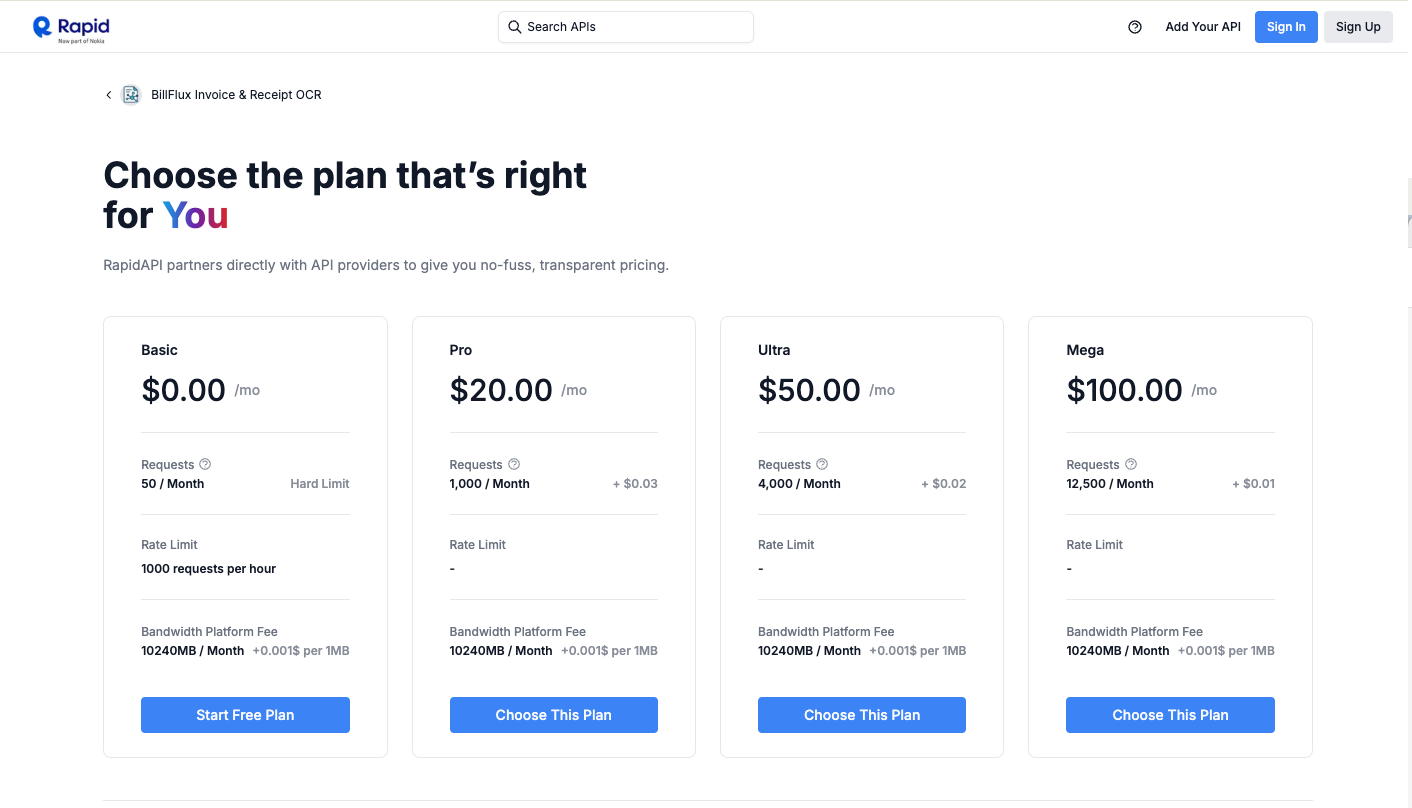
Step 2: Sign Up or Log In
If this is your first time using RapidAPI, you'll need to create an account. Click on the sign-up button and complete the registration process.

Step 3: Choose a Subscription Plan
After logging in, select a pricing plan that fits your needs (e.g., Basic plan). Click on "Subscribe" to proceed to the confirmation page.
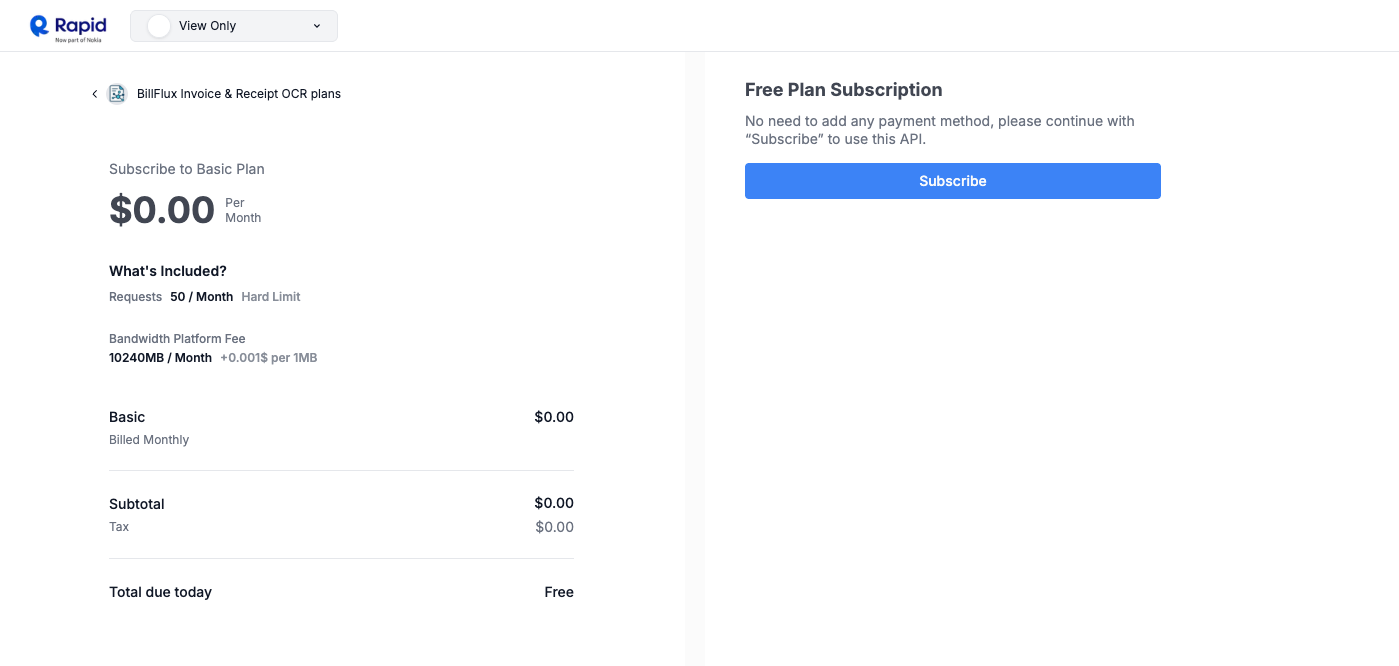
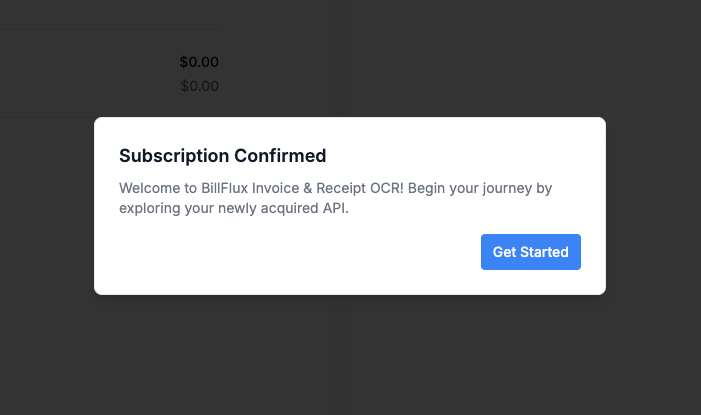
Step 4: Complete Subscription
Once subscribed, click on "Get Started" or "Test Endpoint" to enter the API details page.
Step 5: Get Your API Key
On the API details page, you'll find your
X-RapidAPI-Key. This is your authorization key -
make sure to save it securely.
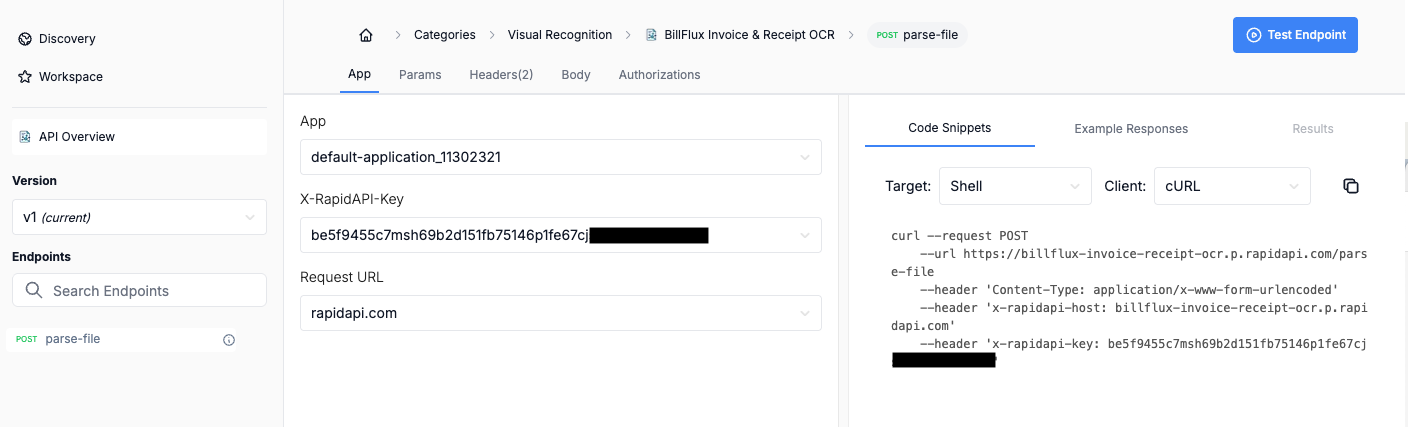
If you forget your API key, you can always find it by searching for "BillFlux Invoice & Receipt OCR" in RapidAPI Hub and navigating to the API details page.
Using Your API Key
Include these headers in all your API requests:
X-RapidAPI-Key: YOUR_API_KEY
X-RapidAPI-Host: billflux-invoice-receipt-ocr.p.rapidapi.comAPI Reference
Parse File Endpoint
Request Parameters
| Parameter | Type | Required | Description |
|---|---|---|---|
data |
File | Yes | Invoice or receipt file (PDF, JPG, PNG, HEIC) |
custom_field |
JSON String | No | Custom field definitions for extraction |
Response
Returns a JSON object containing the extracted data based on the file content and custom fields.
Code Examples
JavaScript (Node.js)
const axios = require('axios');
const FormData = require('form-data');
const fs = require('fs');

const form = new FormData();
form.append('data', fs.createReadStream('/path/to/invoice.jpg'), {
  filename: 'invoice.jpg',
  contentType: 'image/jpg'
});

axios.post('https://billflux-invoice-receipt-ocr.p.rapidapi.com/parse-file', form, {
  headers: {
    ...form.getHeaders(),
    'X-RapidAPI-Key': 'YOUR_API_KEY',
    'X-RapidAPI-Host': 'billflux-invoice-receipt-ocr.p.rapidapi.com'
  }
})
.then(response => {
  console.log(response.data);
})
.catch(error => {
  console.error(error);
});
Python
import requests

url = "https://billflux-invoice-receipt-ocr.p.rapidapi.com/parse-file"

files = {
  'data': ('invoice.jpg', open('/path/to/invoice.jpg', 'rb'), 'image/jpg')
}

headers = {
    'X-RapidAPI-Key': 'YOUR_API_KEY',
    'X-RapidAPI-Host': 'billflux-invoice-receipt-ocr.p.rapidapi.com'
}

response = requests.post(url, files=files, headers=headers)
print(response.json())
PHP
$curl = curl_init();

curl_setopt_array($curl, [
  CURLOPT_URL => "https://billflux-invoice-receipt-ocr.p.rapidapi.com/parse-file",
  CURLOPT_RETURNTRANSFER => true,
  CURLOPT_POST => true,
  CURLOPT_POSTFIELDS => [
    'data' => new CURLFile(
      '/path/to/invoice.jpg',
      'image/jpg',
      'invoice.jpg'
    );
  ],
  CURLOPT_HTTPHEADER => [
    'X-RapidAPI-Key: YOUR_API_KEY',
    'X-RapidAPI-Host: billflux-invoice-receipt-ocr.p.rapidapi.com'
  ],
]);

$response = curl_exec($curl);
curl_close($curl);

echo $response;
Custom Fields
Define exactly what data you want to extract by providing custom field definitions. Our LLM intelligently extracts the data you specify:
{
  "specific_time": "Transaction or invoice time in 24-hour format HH:MM, e.g., 14:07. Common keywords: time, transaction time, order time.",
  "datetime_iso": "Full ISO 8601 datetime if available, e.g., 2025-03-15T14:07:00.",
  "timezone": "Timezone inferred from text, phone code, or address, e.g., America/New_York, UTC+8."
}The API will extract these specific fields from your documents based on your descriptions and return them in a structured JSON format.
Error Handling
The API uses standard HTTP response codes:
| Code | Description |
|---|---|
200 |
Success - Data extracted successfully |
400 |
Bad Request - Invalid file or parameters |
401 |
Unauthorized - Invalid API key |
429 |
Rate Limit Exceeded |
500 |
Server Error |
Feedback & Support
Have questions, suggestions, or need help? We'd love to hear from you!
Visit our Contact page to get in touch with our team. We're here to help you get the most out of the BillFlux API.